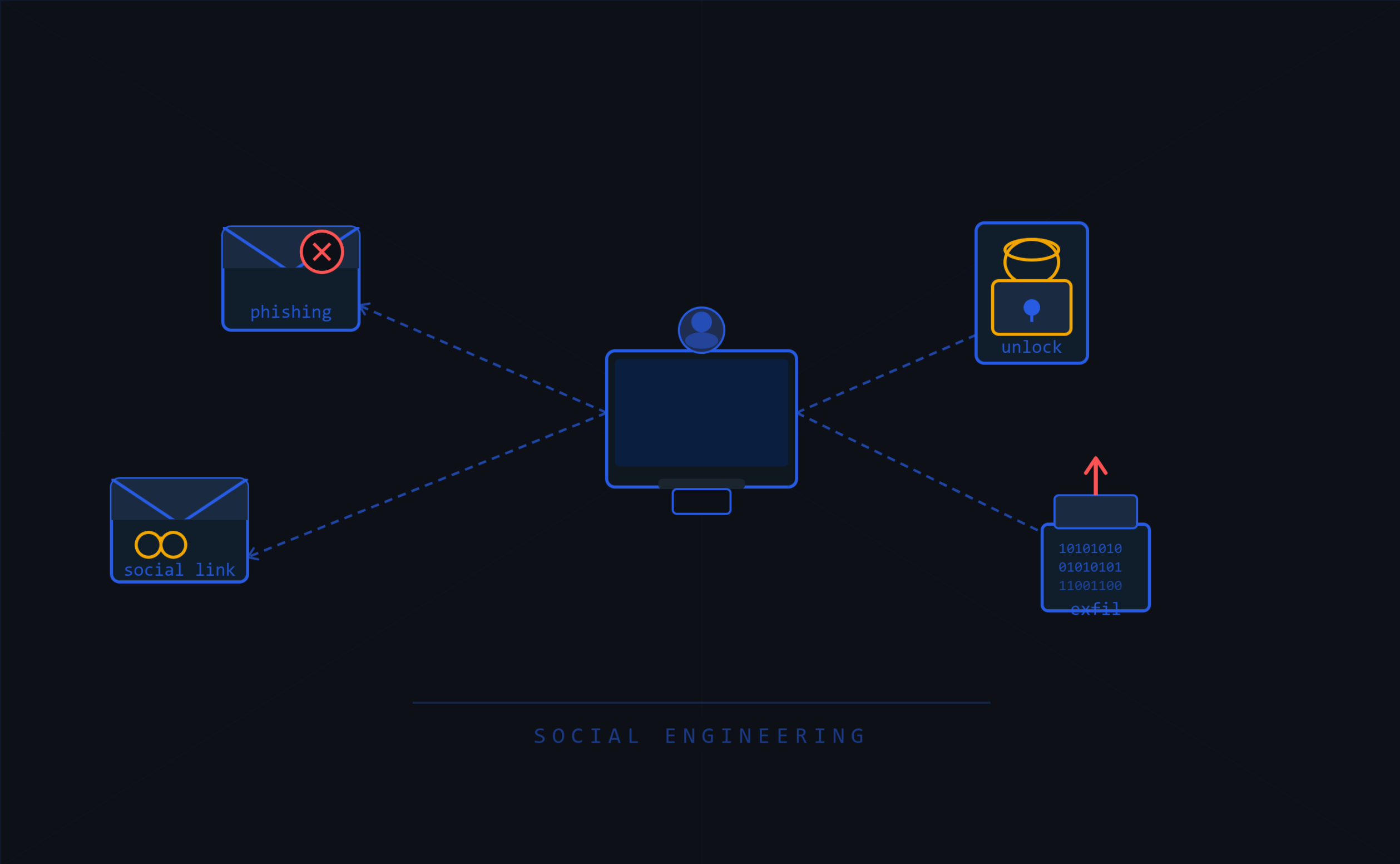
AI image generation is making it increasingly easy to create credible visual evidence. That changes social engineering: a story no longer just needs to be verbally convincing, but can be supported with photos, screenshots, or customized images.
Collin, Platform Engineering intern at Warpnet, was tasked with building a self-hosted tool that allows organizations to be tested in a controlled manner for their resilience against AI-supported social engineering. This blog post describes how that internship assignment was approached and what he learned from it. The main lesson: generating images is not the hardest part. The value lies primarily in a good scope, realistic scenarios, control over data, consistent personas, and a careful translation into defensible measures.
The persona-and-image loop
Teams that perform social engineering tests go through roughly the same cycle each time. For AI-assisted scenarios, I have translated that cycle into six steps:
- Scope: determine which trust, process, or control point you want to test.
- Build a story that fits within the assignment and the organization.
- Dossier: generate a persona with biography, work history, and source material.
- Image strategy: choose whether you need fast images, consistent characters, or adjustments to existing photos.
- Validation: check whether the images are technically and contextually credible.
- Feedback: translate the test results into concrete improvements in processes and awareness.
The tool primarily supports steps 3 through 5. The first and final steps remain human work: that is where the ethical boundaries, client agreements, and learning objectives are determined.
1. Scope: test confidence, not just recognition
A common mistake in AI awareness is that the emphasis is placed entirely on “recognizing AI.” That is useful, but insufficient. The better question is: which processes assume that visual material is automatically reliable?
Take the following scenario as an example. A fire alarm is located in a common area. A tester takes a photo of it and later has it modified to make it look like an LED is lit.
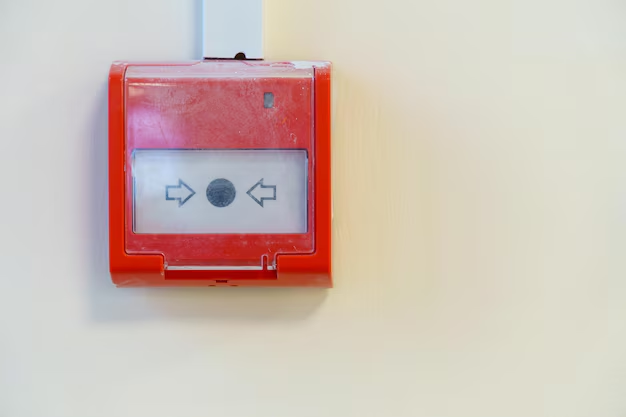
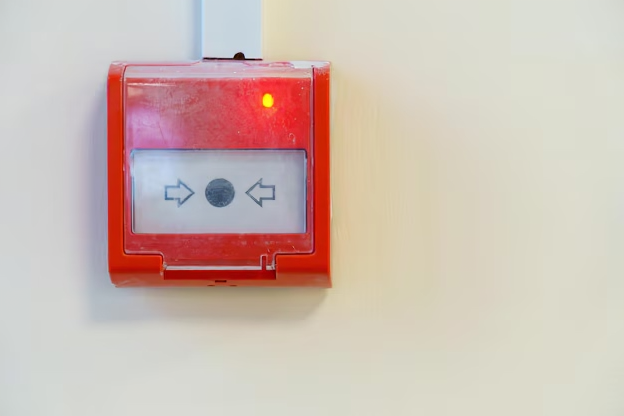
This can make a maintenance story seem more convincing than it actually is:
“I am Jeroen from * Installation engineering. I received a notification that something was wrong with one of your fire alarms.”
The point of such a test is not for employees to perform perfect AI detection. The point is that an organization wants to know whether employees verify suppliers, technicians, and urgent requests through known channels. A photo can reinforce a story, but should never replace verification.
2. Stack: keep sensitive test data local
Public image generation models can deliver excellent results, but social engineering tests often contain sensitive client context: location photos, internal scenarios, personas, and sometimes portrait material of testers. Therefore, a self-hosted setup was chosen for this tool.
The Docker stack consists of four components:
- Flask: the web app that manages files, uploads, and workflows.
- ComfyUI: the engine for image generation and inpainting workflows.
- Ollama: the local LLM container for biographies and work experience.
- Kohya-SS: the container for training LoRAs.
This setup provides several advantages: the data remains local, workflows are repeatable, and different imaging tasks can be built as separate modules.
3. Dossier: build the persona from context
A good persona does not start with a face, but with context. The tool therefore first requests basic data, such as name, age, place of residence, sector, job title, workplace, hobbies, and education level. This data is stored in the database via SQLAlchemy.
Afterwards, the tool uses SerpAPI to retrieve relevant context. For a fictional system administrator from Assen, these could be search queries such as:
well-known ICT / software companies Assen NetherlandsUniversity of Applied Sciences ICT / Software Assen Netherlands
The result is a JSON file with search results:
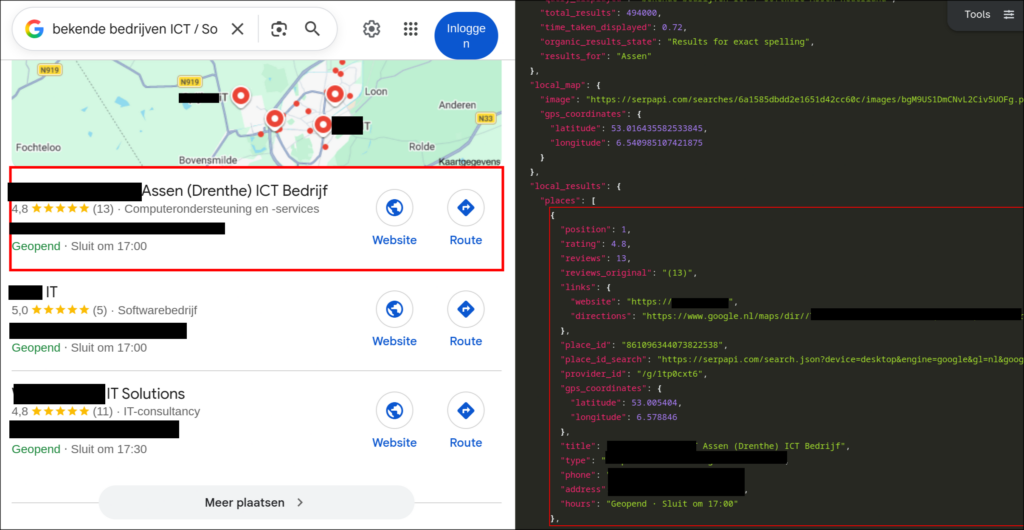
That JSON goes to Ollama. The LLM uses the information to build a realistic, yet fictional, biography and work history.
BIOGRAPHY:
Henk de Vries is an experienced system administrator with over 25 years of experience in the IT industry. After graduating from Saxion University of Applied Sciences with a degree in HBO-ICT, he began his career at a medium-sized IT firm in Assen. He specialized in system and network administration and worked his way up to senior administrator. In 2016, Henk left the firm to work as an independent system administrator. Since then, he has helped a wide range of clients with their IT problems. In his spare time, he enjoys running and swimming.

WORK EXPERIENCE:
2020-present: Independent System Administrator
2016-2020: Senior System Administrator at ********* IT Services Assen
2012-2016: System Administrator at ********* University of Applied Sciences
2007-2012: Network Administrator at ********* ICT
1999-2007: System Administrator at ********* ICT
The output is not an endpoint, but starting material. A pentester can adapt the persona to the assignment, remove inconsistencies, and add details relevant to the scenario.
From the same file, a base portrait can also be generated. This gives the persona a visual identity before a LoRA is potentially trained.
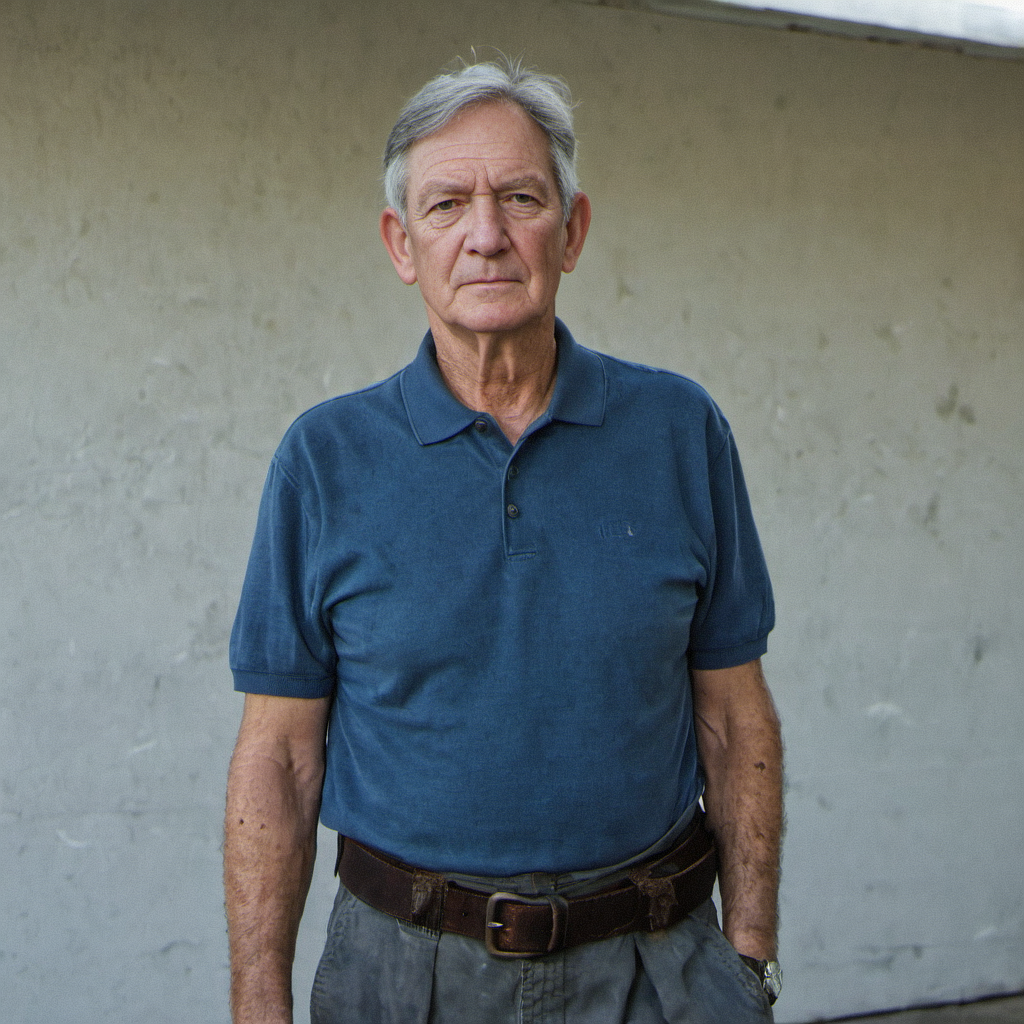
4. Image strategy: choose the lightest workflow that fits
Not every scenario requires the same technical approach. The tool therefore supports three types of imagery:
- Out-of-the-box generation: quickly create realistic images when facial consistency is not important.
- Consistent personastrain a LoRA so that the same person remains recognizable in multiple images.
- Inpaintingediting existing images or placing a person into an existing photo.
The choice depends on the test objective. If an image is used only once, out-of-the-box generation is often enough. If a persona returns on LinkedIn, in email, and in multiple scenario photos, facial consistency becomes more important. If the test revolves around visual proof from an existing environment, inpainting is usually the better route.
Out-of-the-box generation
For fast images, the tool uses a ComfyUI workflow with the UltraReal Fine-Tune checkpoint by Danrisi, available via Civitai. A checkpoint functions as a base model. A LoRA can be loaded on top of that to specialize the model in a person, object, or style.
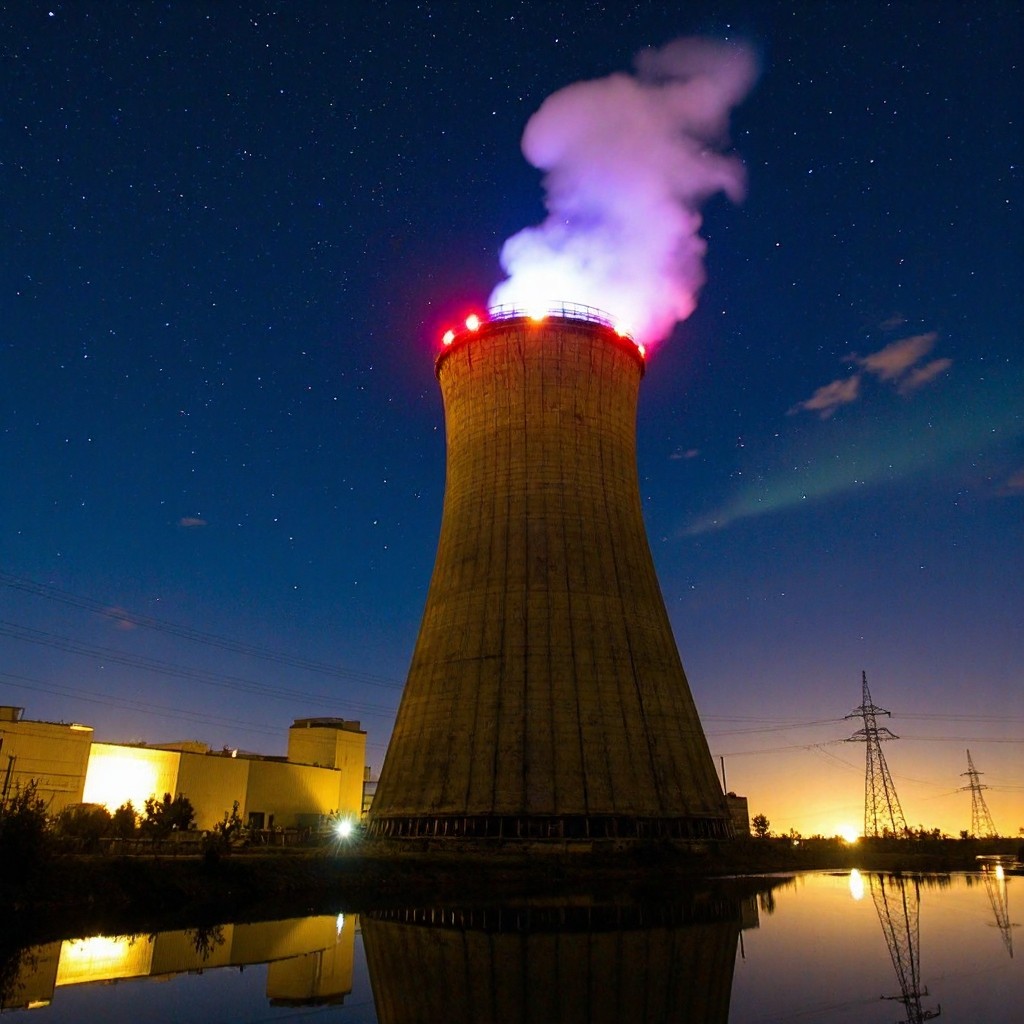
d1g1cam, Cooling tower, nighttime, industrial setting, large cylindrical structure illuminated by orange lights, red warning lights at the top, steam billowing upwards, dark blue sky with lots of stars and aurora, reflection in still water below, surrounding industrial landscape, power lines and pylons to the right, scattered faintly lit buildings in the distance, clear and sharp image quality, long exposure, tranquility, calm atmosphere
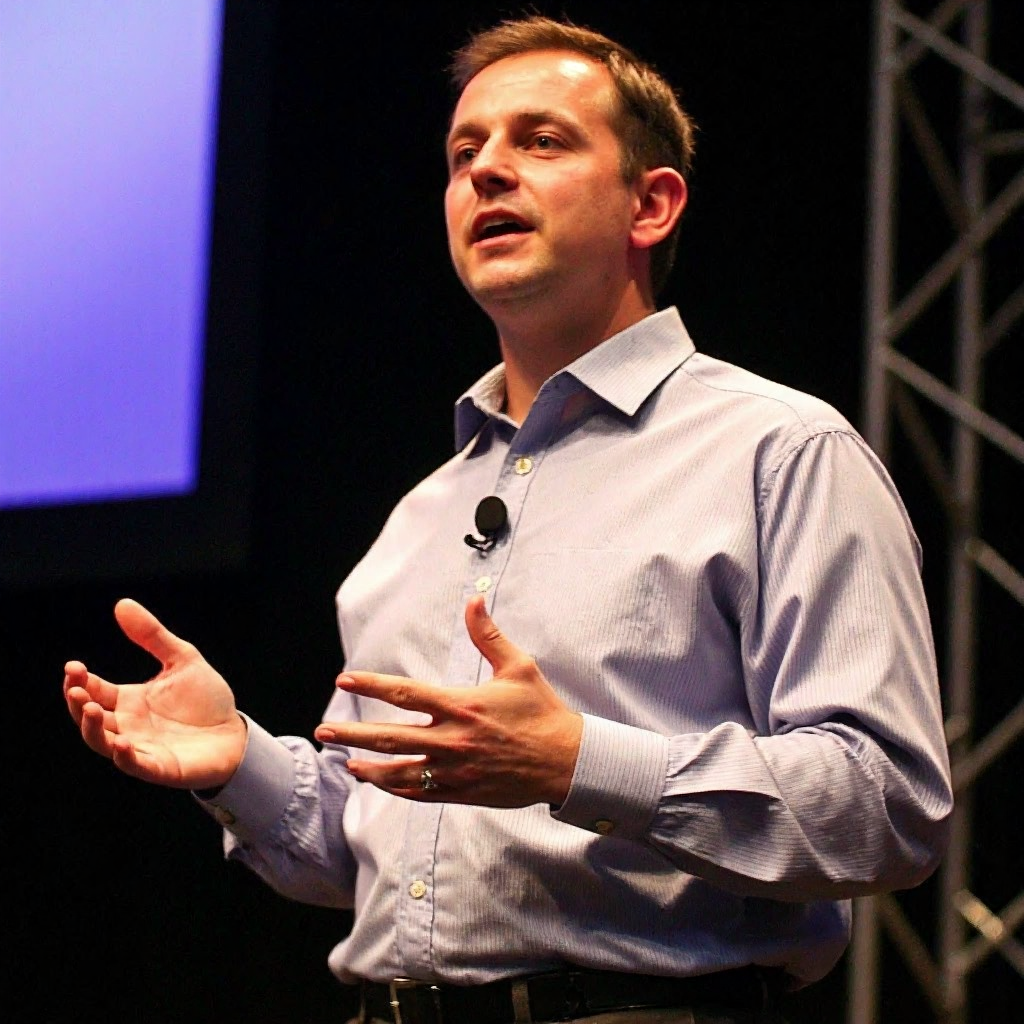
40 year-old CEO having a presentation at defcon, formal clothing, slightly overweight
The checkpoint is based on FLUX.1-dev and focuses on images that look less studio-perfect. That is important: overly clean images often stand out faster.
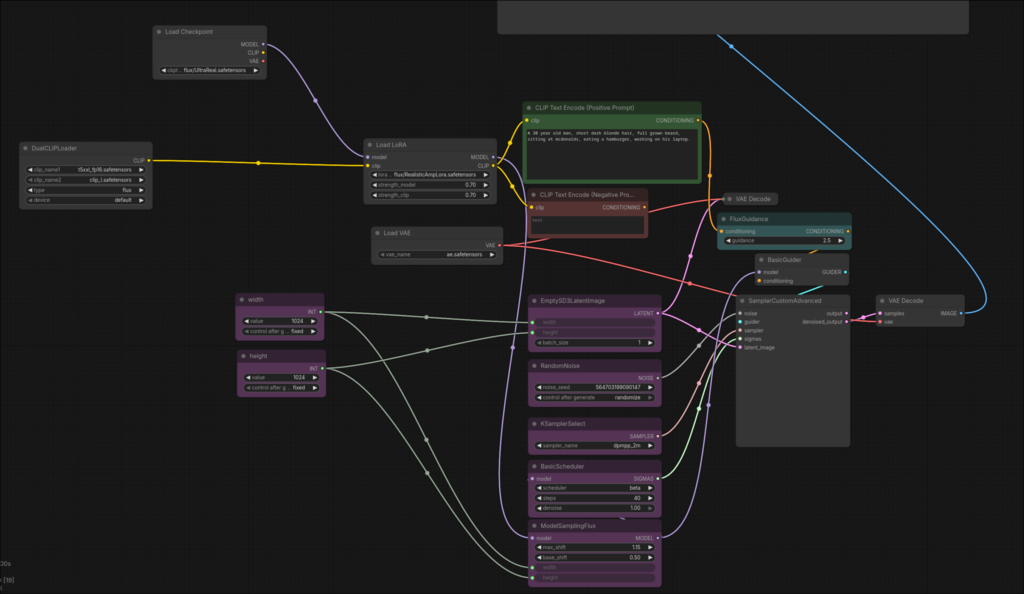
In this workflow, the Realistic Amplifier for UltraReal Fine-Tune-LoRA by the same creator is also loaded to further increase realism.
Smart Fill
Smart Fill modifies a selected part of an existing image. The tester draws a mask over the area that needs to change and provides a prompt. FLUX then repaints that area.
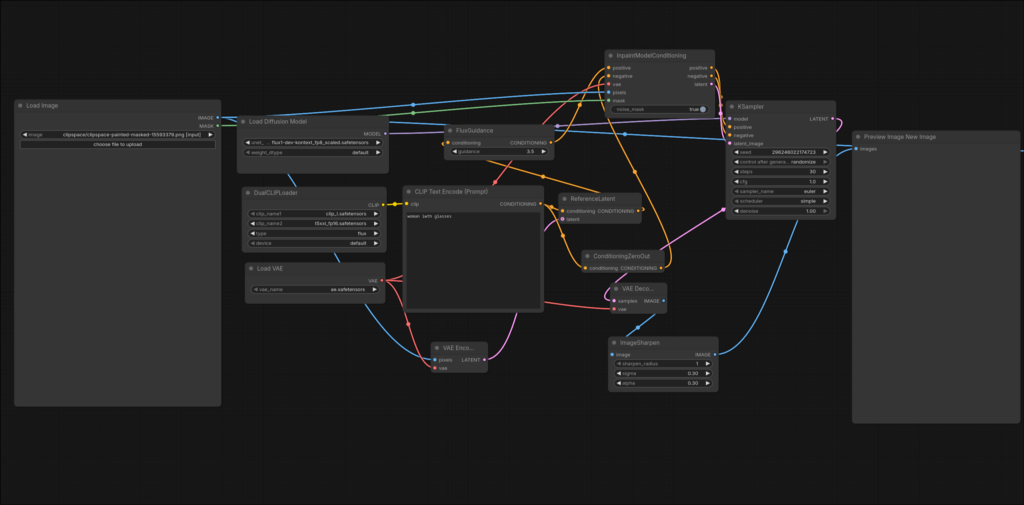
This is the workflow that is also used in the fire alarm example. In an authorized assignment, this can help test whether employees trust visual evidence too quickly, for example when an image supposedly shows a malfunction, badge, sticker, or internal situation.
Insert Character
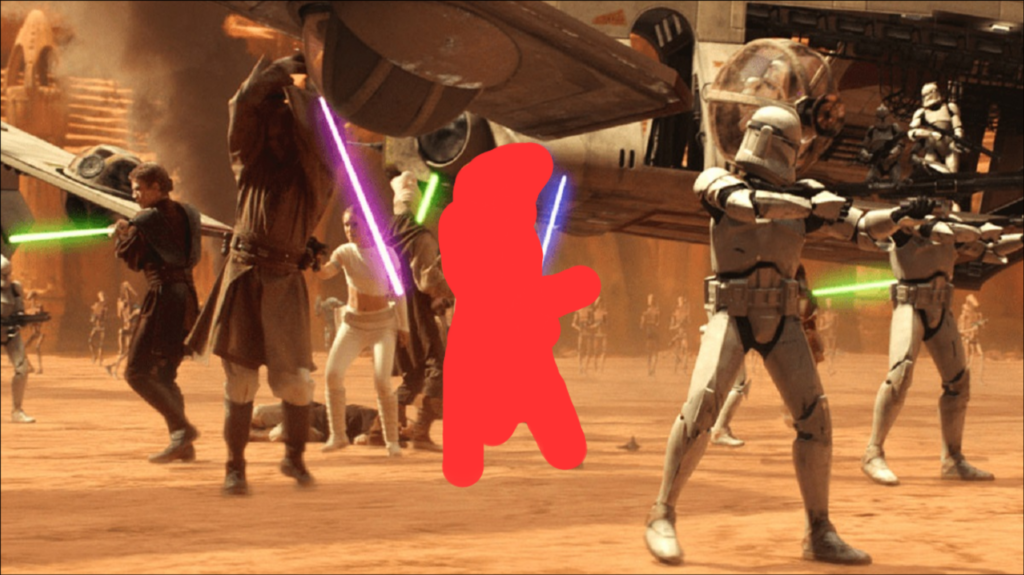
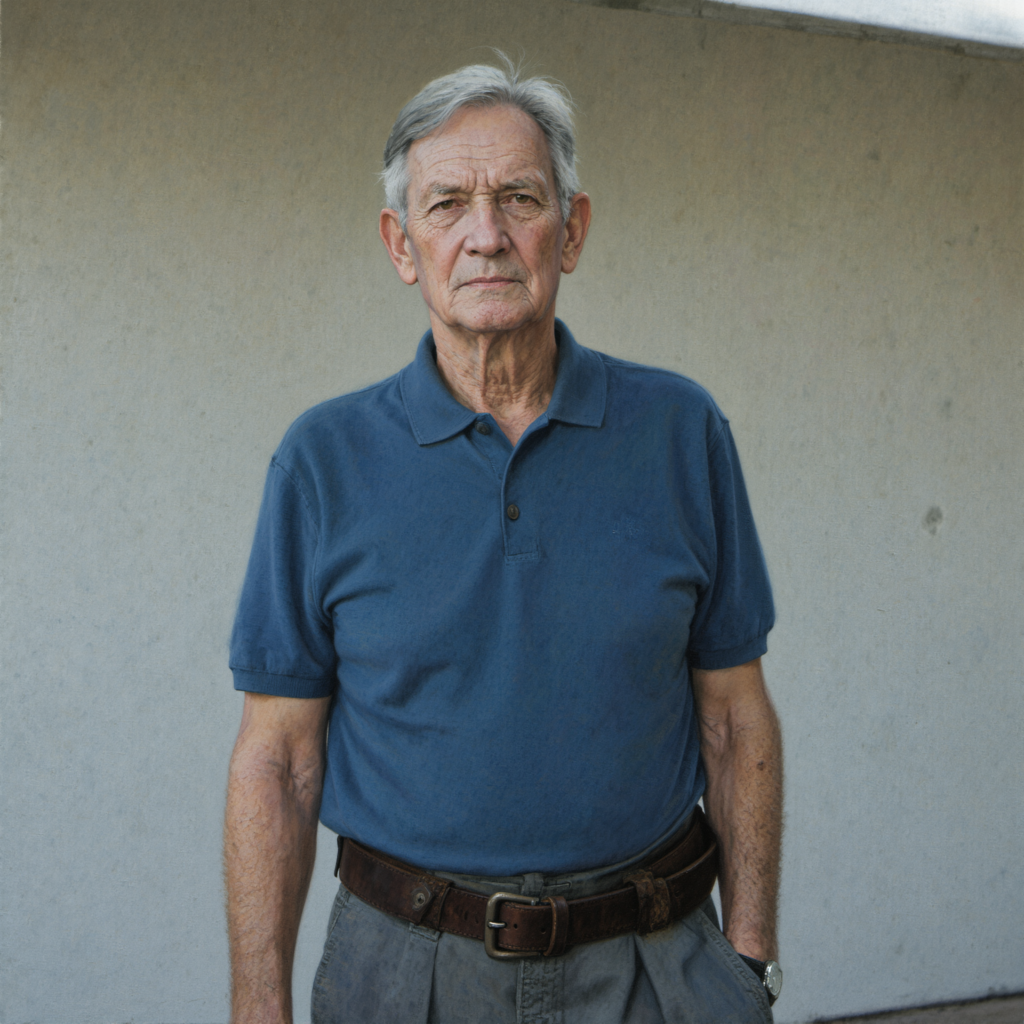
Insert Character uses Kinelite's Flux-Insert-Character workflow. The workflow places a person into an existing image based on four inputs:
- Source Image: the background or location.
- Mask: the place where the person needs to go.
- Reference Image: the face or body of the person to be placed.
- Prompt: a description of posture, clothing, and context.
Source:

Mask:
Reference:
Result:
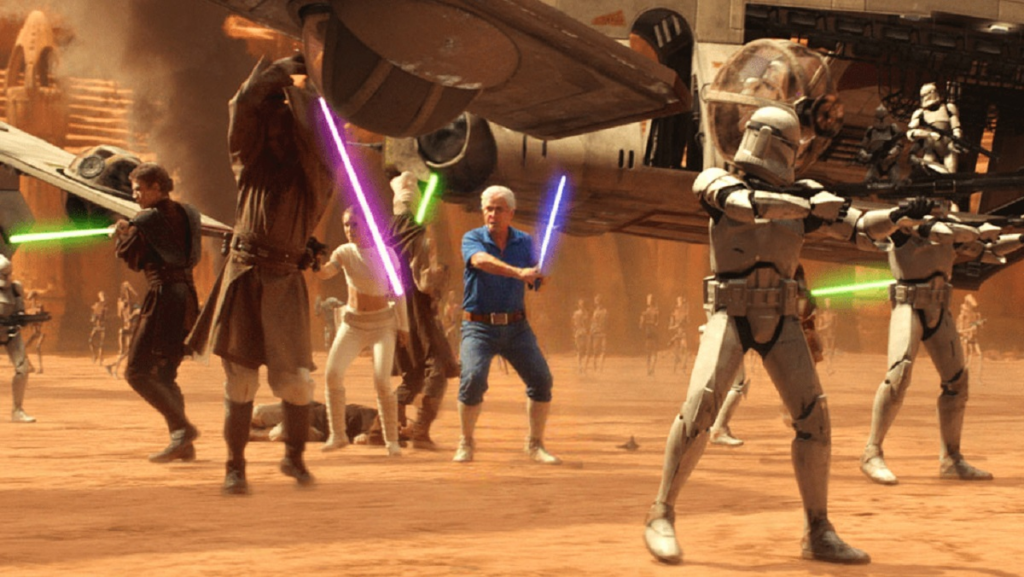
This example is intentionally exaggerated. Its main purpose is to show that the workflow can combine exposure, position, and composition. For real assignments, of course, you’ll use realistic scenarios within the agreed-upon scope.
5. Consistency: Train a LoRA when a persona returns
The biggest problem with generating multiple images is consistency. You can reuse the same prompt, but the face, body type, and small, recognizable features often change anyway. For a recurring character, that’s not good enough.
To do this, the tool uses Low-Rank Adaptation, commonly referred to as LoRA. A LoRA is a small addition to an existing diffusion model. By training the model on a dataset of images of a single person, the LoRA learns which features are specific to that person.
The tool supports two dataset routes:
- Fictional character: Start with a single generated image and create several variations of it.
- Real person: Upload photos of a tester.
Fictional characters
For fictional characters, the tool uses a workflow created by Mickmumpitz, an AI YouTuber who frequently works with diffusion models. The workflow can generate multiple variations from a single reference image while keeping facial features reasonably consistent.

The workflow uses Qwen 2.5, which takes a reference image and generates new images based on a prompt.
 A hyper-realistic, low-angle cinematic shot of the exact person from the reference image, sitting on a natural surface in a sun-drenched park. The camera is positioned low, looking up toward the subject.

Subject & Pose: The person is captured with their head tilted back, eyes gazing upward into the sky with a serene, neutral expression. Every facial feature—the shape of the eyes, the jawline, and the bridge of the nose—must be an exact 1:1 match to the reference person. The hair texture and body proportions remain identical.

Atmosphere & Lighting: Bright, direct afternoon sunlight creates natural, high-contrast highlights on the skin and hair. Soft ambient bounce light fills the shadows. The sky above is a clear, brilliant blue with subtle lens flare.

Environment: The background consists of out-of-focus green tree canopies and a vast open sky, rendered with a creamy, professional bokeh. The person is wearing the identical white T-shirt and shorts from the reference image, with realistic fabric textures and sunlit fibers.

Technical Quality: Shot on a Sony A7R IV with a 35mm wide-angle lens at f/8 for deep clarity on the subject. High-resolution 8K photography, RAW format. Meticulous detail on skin pores, natural skin oils, and individual strands of hair. Strictly no digital smoothing, no cartoon shading, and no 3D-rendered aesthetic. High-fidelity photographic realism.
In ComfyUI, you can choose how many images are generated:
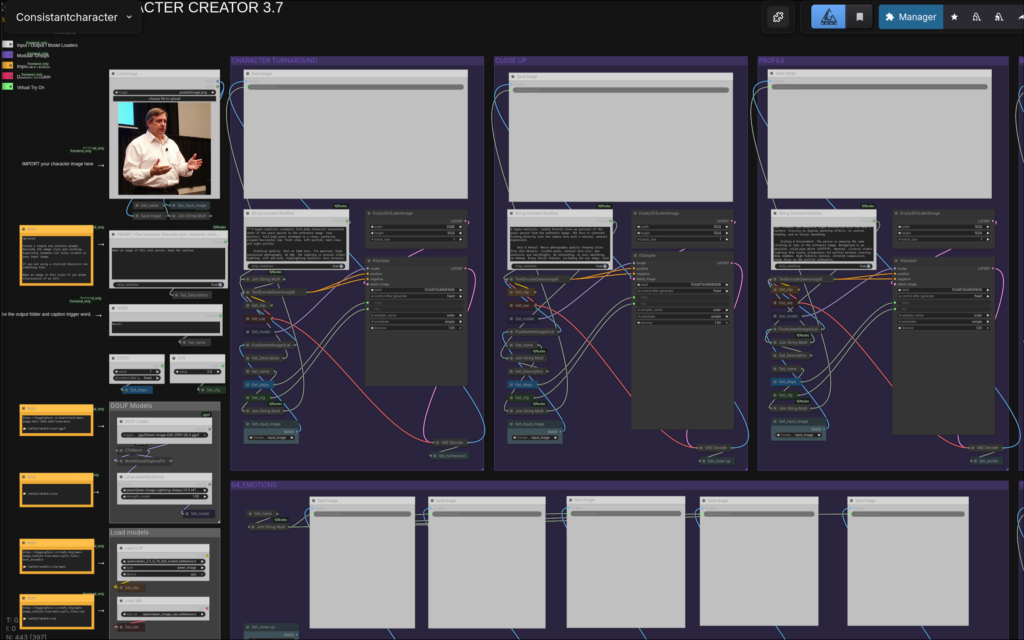
For this tool, the original amount of 22 images was maintained as the dataset for LoRA training.
Real people
For real people, the dataset is less technical, but quality control remains important. The web app therefore includes an upload screen that allows photos to be added in bulk and cropped to 1024×1024 pixels.
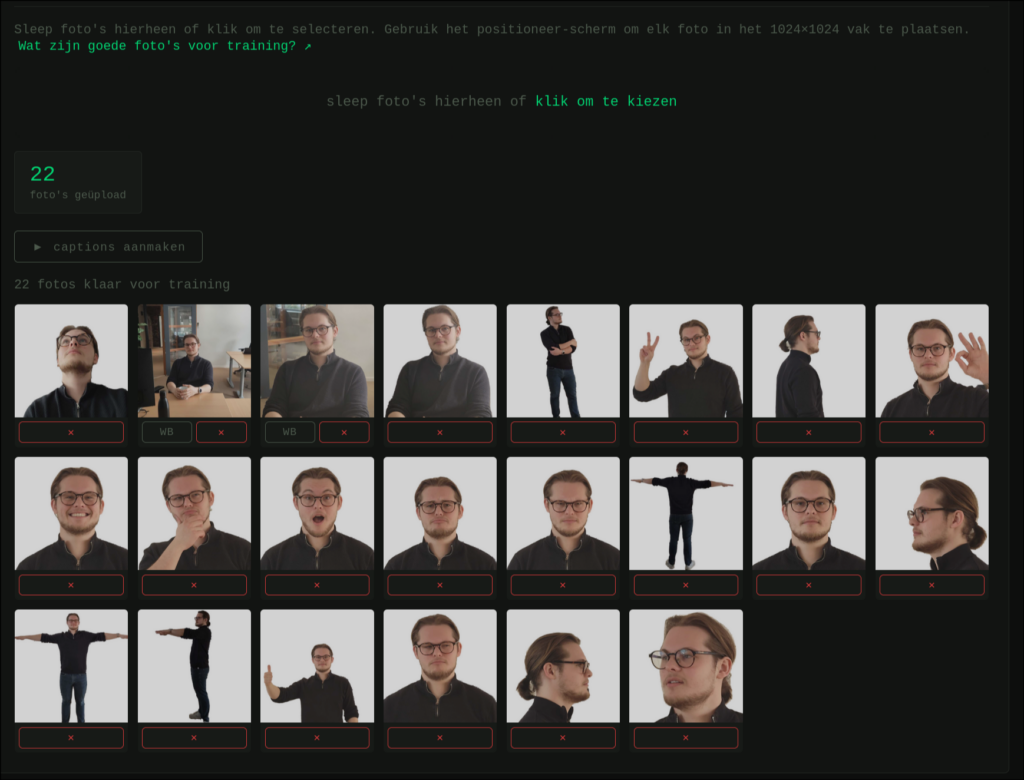
Next, a workflow sets the background to white. This reduces the likelihood that the LoRA will learn background patterns instead of just facial features. A few photos with backgrounds are fine, but the background should not dominate the dataset.
The tool also includes a guide that explains which photos, when combined, form a usable dataset.
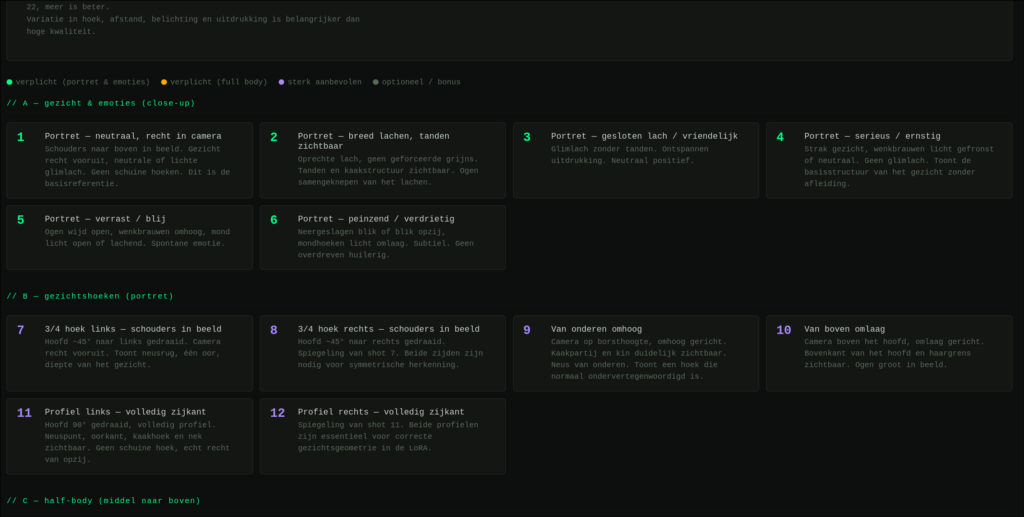
6. Training: Use "loss" as a signal, not as a judgment
For training, each image needs a caption: a text file that describes what is shown in the image. The Mickmumpitz workflow uses Florence-2 to automatically generate captions. These captions are placed in the dataset folder along with the images.
The tool then initiates a LoRA training session via the Kohya-SS API. Most settings remain the same, such as resolution, model path, and training locations. For each persona, the main changes are the name, dataset folders, and training steps.
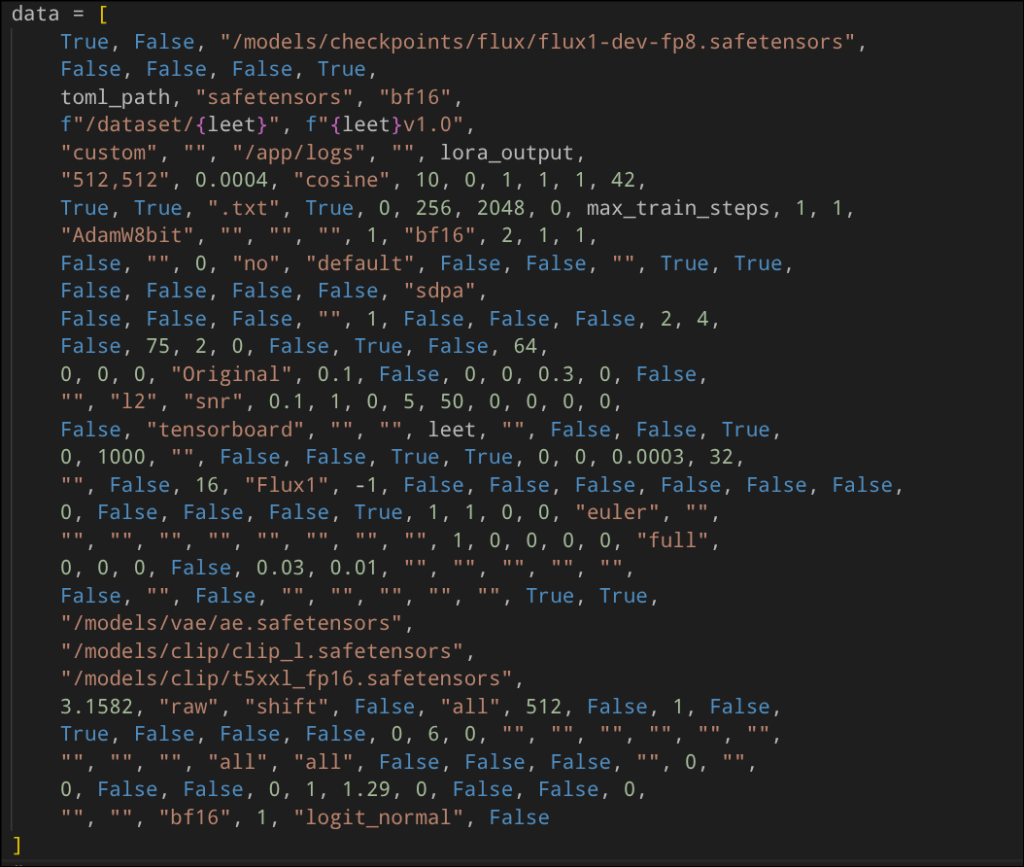
An important detail is the training token. In captions, for example:
h3nkd3 vr135, The image is a close-up portrait of an elderly man's face. The man appears to be in his late 60s or early 70s, with gray hair that is slightly disheveled and falls over his shoulders. His eyes are closed, and his expression is peaceful and serene. He has a slight smile on his lips and his eyebrows are slightly furrowed. He is wearing a dark blue polo shirt with a collar. The background is white, making the man the focal point of the image.Such a token prevents the model from mixing existing associations with common names with the persona. For example, “Roos” can be a name, but also a flower. A unique token gives the LoRA a clearer anchor.
The training itself remains an iterative process. A LoRA can be under-trained, causing the persona not to resemble enough, or over-trained, causing the model to copy training images too literally.
Kohya-SS can write training logs to TensorBoard:
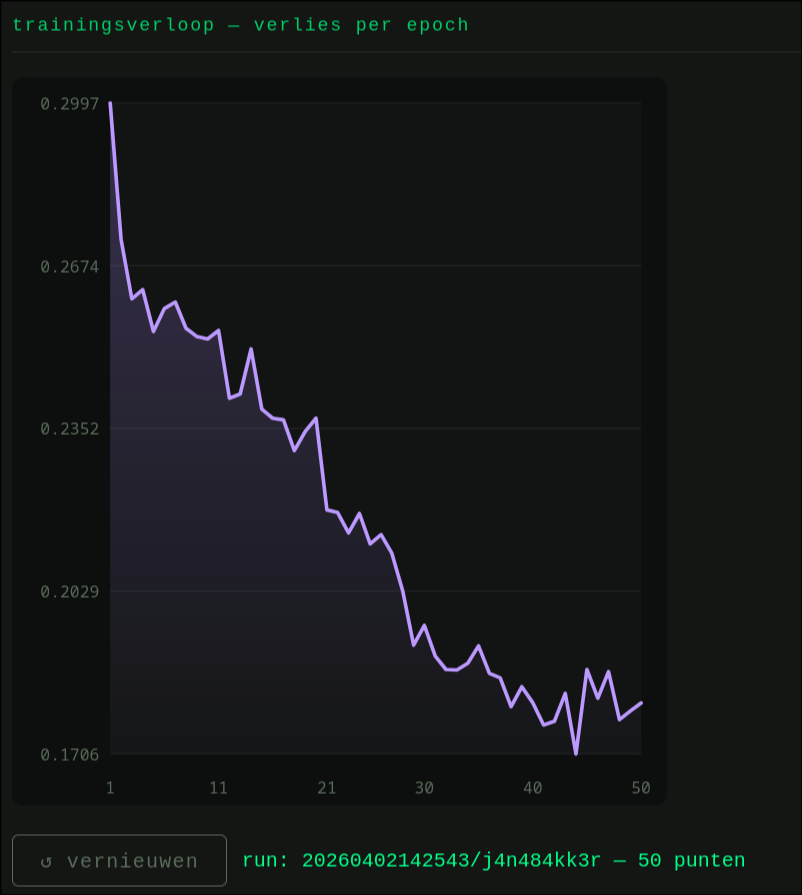
The loss graph is a useful representation of the LoRA training trajectory. During training, the LoRA learns to reconstruct images from the dataset starting from an image consisting only of noise (latent image).
The values on the Y-axis are based on the difference between the model-generated image and the original image from the dataset. This process is repeated for all images in the dataset over multiple training steps and epochs.
Valleys in the graph can be interesting checkpoints to test because the loss is relatively low there, which indicates that the model has learned the training data well at that point. However, they do not guarantee that the output is visually the best. The final selection therefore always requires manual review.
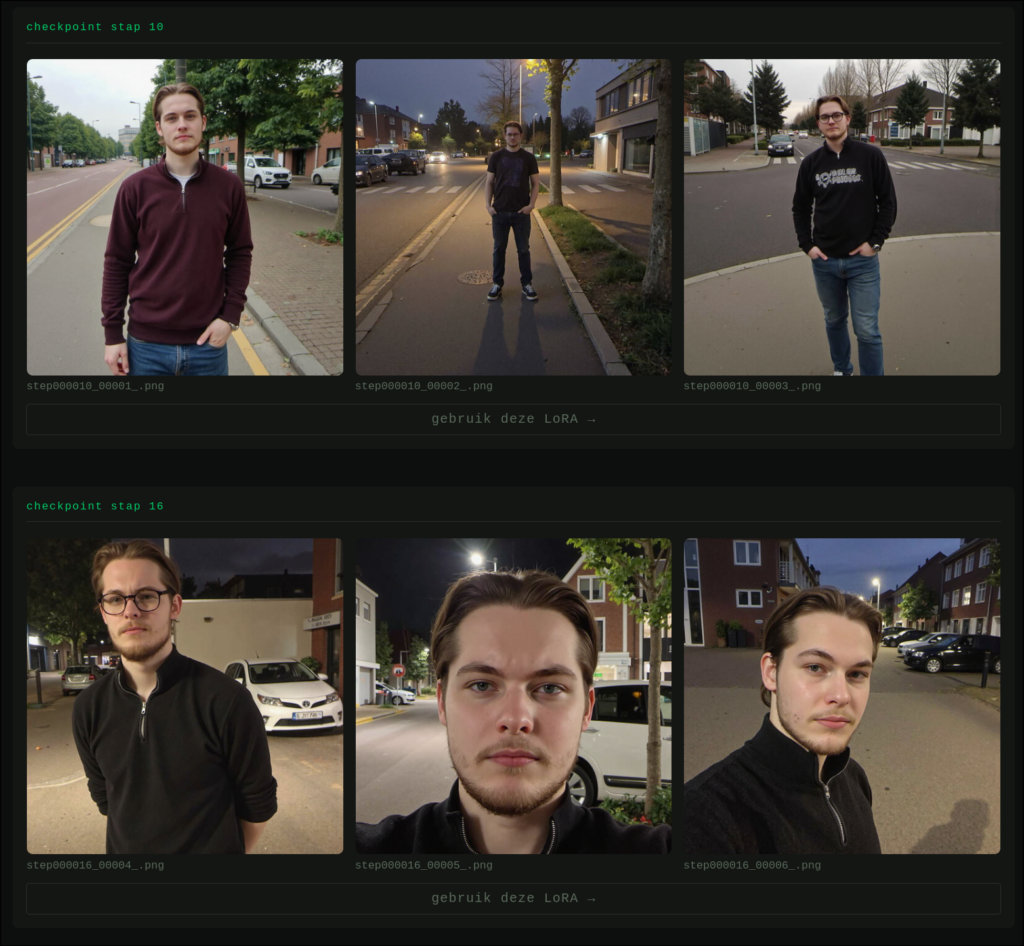
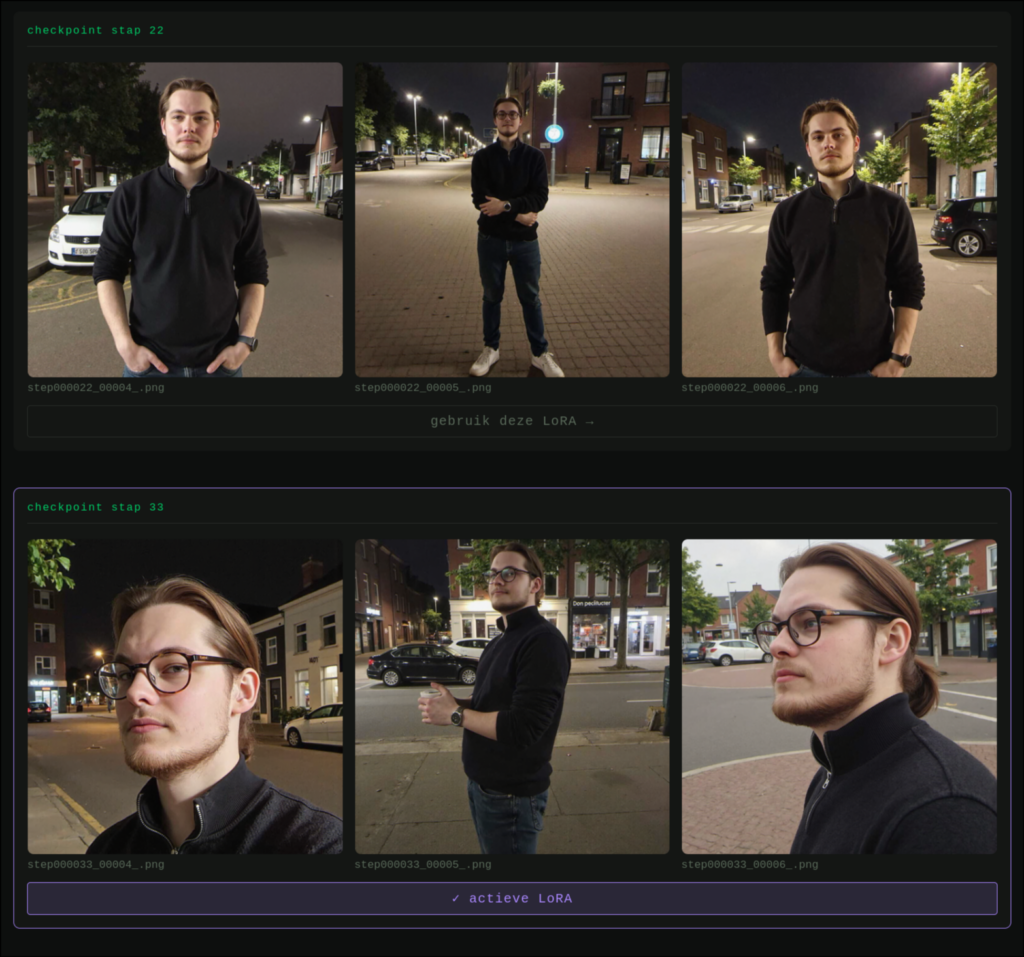
Later checkpoints can get better, but not always.
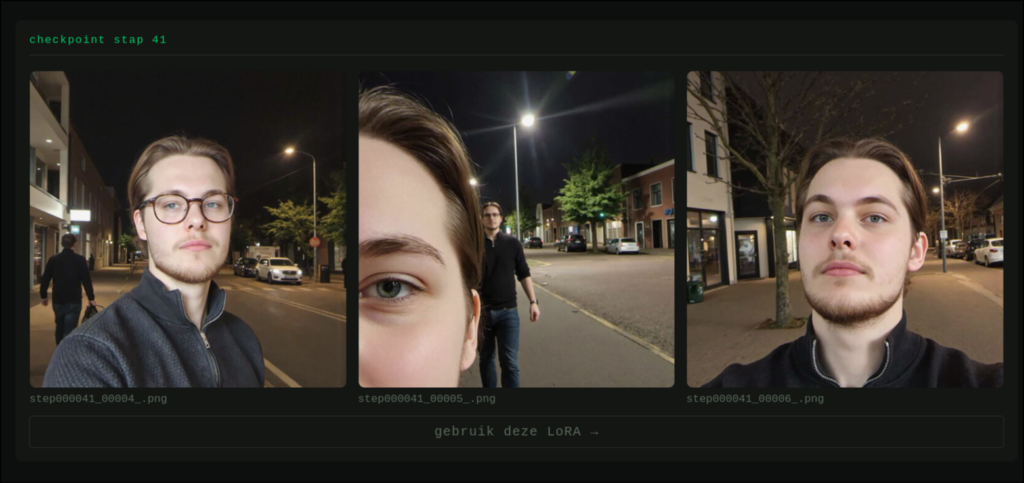
In this example, a double character even emerges. Therefore, you test multiple checkpoints and choose the LoRA that is most useful in practice.
With a good LoRA, you can make the same person reappear in multiple contexts.
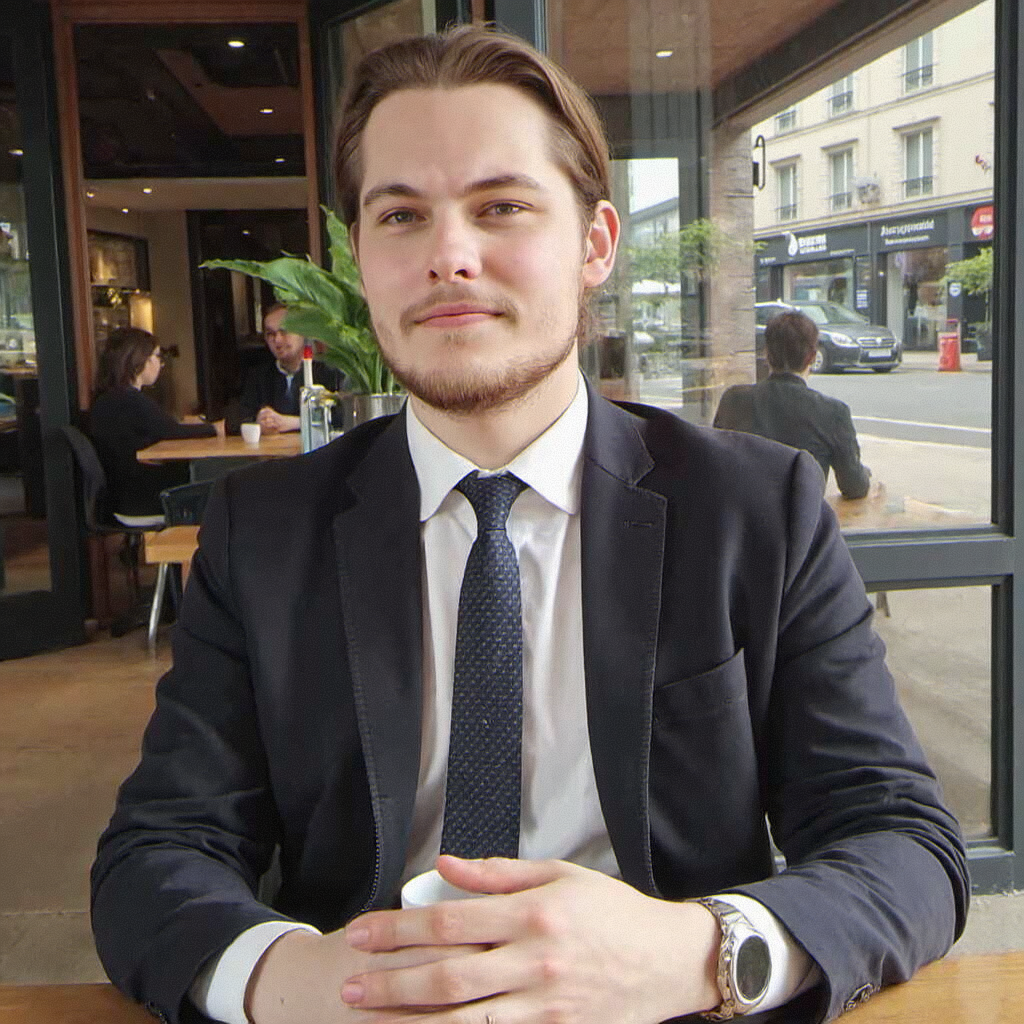
d1g1cam, wel-lit, Low-resolution photo, shot on a mobile phone, daytime, cafeteria. Solo foto of c0l1n5m17 wearing a formal attire, relaxed look, closed mouth.
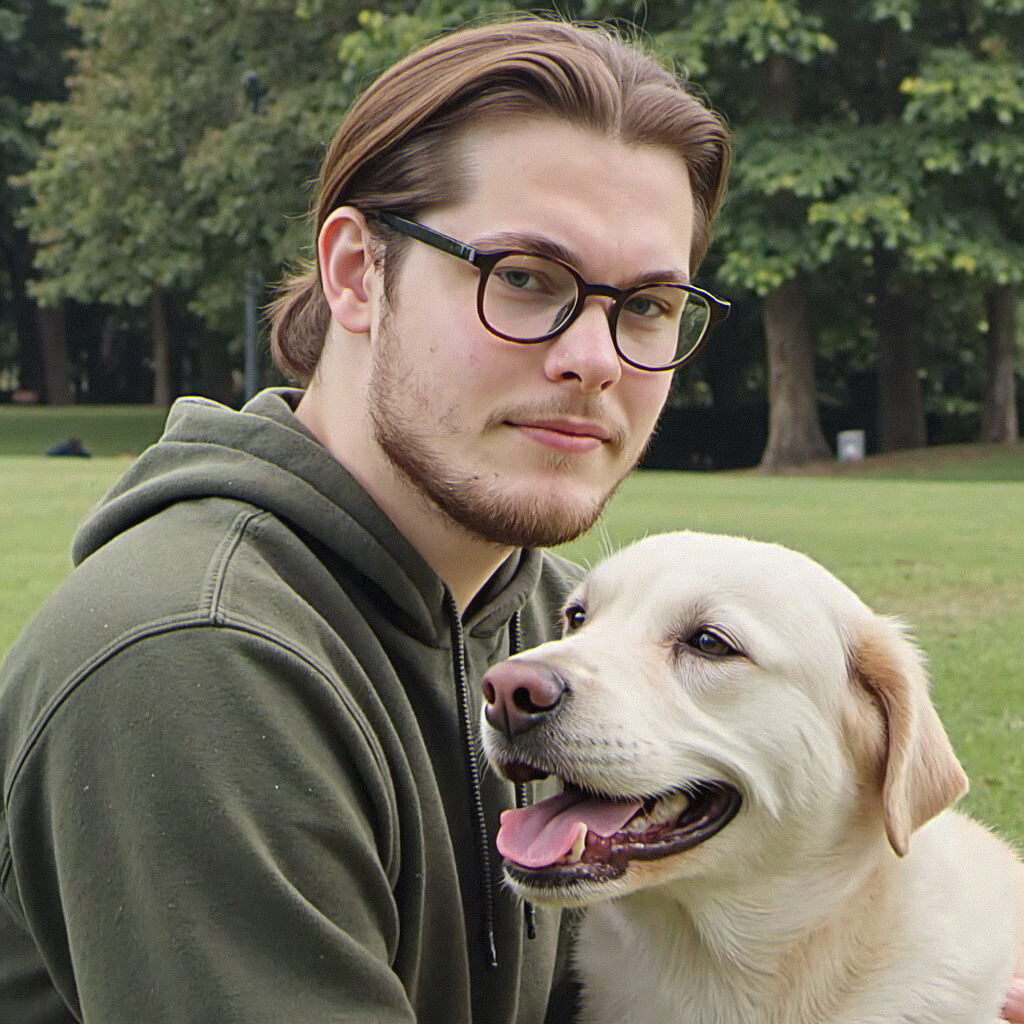
prompt: d1g1cam, wel-lit, Low-resolution photo, shot on a mobile phone, daytime, in a park. Solo foto of c0l1n5m17 sitting with his dog, wearing a casual green hoodie, relaxed look, closed mouth.
For social engineering tests, this is especially useful when a pretext involves multiple touchpoints. The persona must then not only be consistent in content, but also remain visually recognizable.
What organizations can learn from this
AI image generation does not automatically make social engineering successful, but it does lower the effort required to credibly support a narrative. The defensive lesson is therefore not: “learn to recognize every AI image.” The lesson is: build processes that do not rely on image trust alone.
A few practical measures:
- Check external technicians, suppliers, and visitors via known internal channels.
- Treat photos, screenshots, and notifications as context, not as evidence.
- Make clear who may approve exceptions and how rush requests are reviewed.
- Incorporate AI-generated images into awareness training and tabletop exercises.
- Report suspicious situations easily, even if someone shows convincing visual material.
Looking Ahead
Self-hosted diffusion models are improving rapidly. ComfyUI makes it relatively easy to test, modify, and integrate other people's workflows into your own tool. That is technically fun, but relevant for security primarily because attackers can leverage the exact same development.
For defenders, the opportunity lies in controlled practice. By testing AI-assisted scenarios within a safe assignment, you discover where employees, procedures, and assumptions still rely too much on what looks visually convincing. The more realistic the images become, the more important it is that verification processes are stronger than the pixels.
This research was conducted & written by Collin Smit:
Collin Smit
Platform Engineering Intern