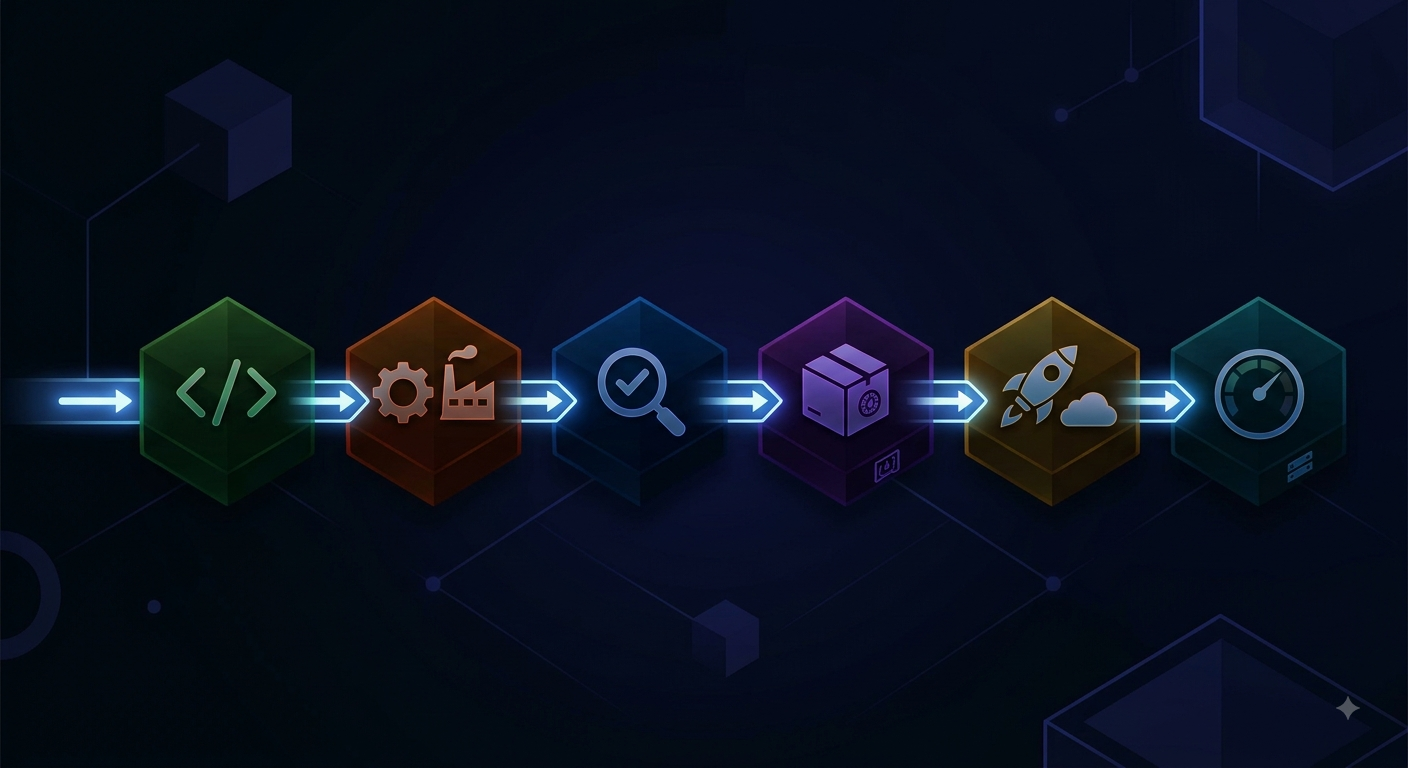
Organizations invest significantly in securing their infrastructure and applications. Yet one attack vector remains structurally underrepresented: the software supply chain. Attackers are increasingly targeting not the systems themselves, but the building blocks of which software is composed. In particular, the open-source packages, CI/CD pipelines, and developer tooling that are relied upon daily.
The pattern in the software supply chain incidents of the past year is remarkably consistent: not a single one of these attacks exploited a vulnerability in the code. They all exploited a trust relationship.
Recent incidents illustrate the threat
Axios (March 2026). An attacker compromised the npm account of the lead maintainer of Axios (an HTTP client with over 100 million downloads per week) and published two malicious releases (1.14.1 and 0.30.4). The malicious code was not in axios itself: both versions added a phantom dependency: plain-crypto-js, a typosquat of crypto-js that is not imported anywhere in the axios source code. During installation, that dependency downloaded a cross-platform Remote Access Trojan for Windows, macOS, and Linux.
Shai-Hulud and Miasma (2025–2026). The Shai-Hulud campaign demonstrated how attackers compromised commonly used npm packages to distribute malicious code via installation scripts. The successor, the Miasma-worm, completely bypassed the registries. On June 5, 2026, GitHub disabled 73 repositories across four Microsoft organizations within two minutes after a malicious commit was pushed to a previously compromised contributor account to Azure/durabletask.
The worm placed configuration files for AI coding agents (.claude/settings.json, .gemini/settings.json, Cursor, and VS Code configurations) that execute a credential-harvesting payload as soon as a developer opens the repository locally.
Miasma also introduced a technique that undermines the standard mitigation: a small binding.gyp file triggered an automatic node-gyp rebuild during npm install, without a lifecycle script in package.json and without --ignore-scripts protecting it.
The National Cyber Security Centre (NCSC) has explicitly warned developers about the risks of compromised software packages and emphasized that this poses a serious threat to Dutch organizations. [1, 2]
Risks in package ecosystems
Package registries like npm and PyPI are based on a model of openness and trust. That makes them vulnerable to various attacks including:
- Typosquattingpackages with names that strongly resemble those of popular libraries.
- Dependency confusionpublishing a malicious package to a public registry with the exact same name as an internal package, but with a higher version number, causing pipelines to pull in the malicious variant.
- Maintainer hijackingtaking over an existing developer account via stolen sessions or credentials (at axios, this started with a targeted social engineering campaign against the maintainer, weeks prior to publication).
- Malicious installation scripts: code (preinstall/postinstall) that is executed directly during installation, even before the application itself has started (variants now exist that do not need a lifecycle script, such as the described node-gyp route).
Recommended measures: packages and pipelines
Focus on what is immutable
A distinction is needed here between two different types of dependencies.
For CI/CD workflows (for example GitHub Actions) the rule is: pin to the commit SHA (hash), not on the version tag. Tags are mutable; an attacker with write access can make v4 point to a different commit without anyone noticing.
# Not:
uses: actions/checkout@v4

# Do use the full commit SHA, with the version as a comment:
uses: actions/checkout@08c6903cd8c0fde910a37f88322edcfb5dd907a8 # v5.0.0
For packages commit hash pinning does not exist. The equivalent there is the lockfile with integrity hashes. Crucially, the build being used actually respects the lockfile:
# npm: Use `npm ci` in pipelines, not `npm install`.
# `npm ci` installs exactly what is listed in `package-lock.json` and fails if there are any discrepancies.
npm ci

# pip: Enforce explicit hash verification. Generate the file with:
#   pip-compile --generate-hashes requirements.in
# and install using `--require-hashes`, so that pip will refuse to install if hashes are missing:
pip install --require-hashes [RN1] -r requirements.txt
Because the administrative burden of these procedures can quickly add up, it is recommended to do this using automated tools such as Dependabot or Renovate to do. These tools automatically check and update the pinned hashes via Pull Requests. This guarantees the security benefits without the associated administrative burden.
Block pre- and post-installation scripts
Installation scripts have been a common attack vector for years. Fortunately, package ecosystems seem to be taking increasingly effective measures to address this. For example, pnpm the lifecycle scripts standard since v10 [3], after which also npm in v12 [4] followed. Also implicit node-gyp builds, git dependencies and dependencies from remote URLs are now blocked by default (which was exploited in the Miasma incident).
# One-time blocking of lifecycle scripts per installation:
npm install --ignore-scripts

# Permanent, via .npmrc (npm v11 and earlier):
ignore-scripts=true

# Or permanent ‘hard’ blocking via the CLI:
npm config set ignore-scripts true

# npm v12: Explicitly approve what is allowed to run.
# The allowlist goes in `package.json` and should be included in version control.
npm approve-scripts --allow-scripts-pending
Please apply this change with some caution, as projects with native modules (bcrypt, sqlite3, grpc) will break without an approved allowlist.
Configure a cooldown period
Newly published versions are the riskiest in the first 24 to 72 hours after release; the malicious axios versions were online for less than three hours before the community detected them. By enforcing a cooldown, new versions are only fetched after that time has elapsed.
// renovate.json
// note: minimumReleaseAge is a string, and the packageRule
// needs a match selector, otherwise the config will be rejected.
{

  "packageRules": [

    {

      "matchDatasources": ["npm"],

      "minimumReleaseAge": "3 days",

      "internalChecksFilter": "strict"

    }

  ],

  // Security fixes should not be delayed:

  "vulnerabilityAlerts": { "minimumReleaseAge": "0 days" }

}
Since Renovate 42, this is enforced by default for npm via the security:minimumReleaseAgeNpm preset [5], check whether it is active in the configuration used before configuring it manually twice.
# pyproject.toml
# requires uv 0.9.17 or newer

[tool.uv]

# Excludes packages published less than 3 days ago:

exclude-newer = "3 days"

# Exception for an urgent security fix:

exclude-newer-package = { cryptography = false }
Dependabot recently also uses a three-day cooldown period. Just like with Renovate, this only applies to new versions and security updates are still processed immediately [6].
Master the entry point: an internal registry
Another measure that has a significant impact is setting up an internal registry. Do not let developers and pipelines install directly from npmjs.com or PyPI, but rather through an internal proxy or mirror (Artifactory, Nexus, Verdaccio). This provides several benefits: a single place where scanning, cooldowns, and allowlisting are enforced, protection against dependency confusion because internal namespaces take precedence, and a complete audit trail of package activity.
Protect publish credentials
The Axios incident shows where the real boundary lies: the registry accepts a valid token as the sole authorization. No amount of upstream hardening compensates for a leaked token.
- Use Trusted Publishing (OIDC) for private packages, so there is no long-lived token to steal.
- Remove publish tokens as soon as OIDC works. An unused token remains a valid token.
- Enforce phishing-resistant MFA on accounts with publishing privileges.
- Monitor maintainer accounts for anomalies; at Axios, a modified email address was the attacker's first visible step.
Integrate scanning software into CI/CD
To detect malicious updates, the pipeline itself must be secured. Use tools such as Zizmor (linter for GitHub Actions) or StepSecurity harden-runner, which monitors the network traffic of the build runners and blocks unexpected outbound connections. In addition, add an EDR solution to the build nodes to analyze OS-level processes for anomalous behavior.
Monitoring and detection
Integrate telemetry from developer and production environments into an existing SIEM solution and trigger alerts on, among other things:
- Unexpected or unauthorized version changes.
- Indicators of Compromise (IOCs) associated with malicious packages.
- Abnormal network traffic from the build or developer environments.
The IDE as an attack surface
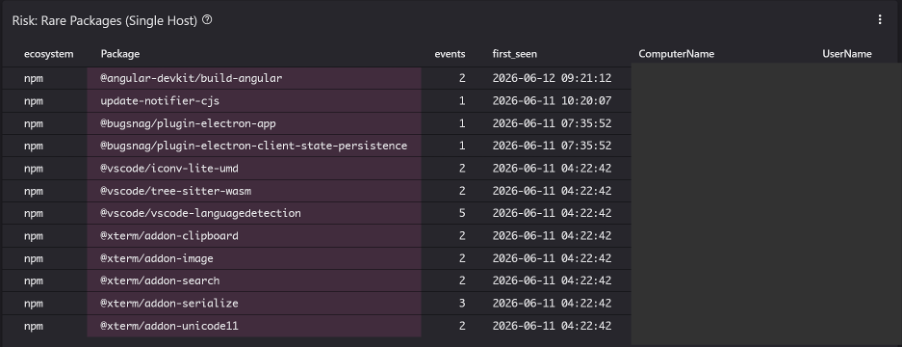
Aside from the registries, the Integrated Development Environment (IDE) is an underrepresented aspect of the developer environment. Extensions run with the permissions of the logged-in developer and thereby have full access to the underlying system, the source code, and locally stored credentials.
How real that risk is was already apparent in May 2024, when researchers discovered a fake extension ‘Darcula’ published [7] (a typosquat of the popular Dracula Official-theme). Within a single day, the extension was installed at more than a hundred organizations, including a publicly traded company with a market value of hundreds of billions and a national court network.
What was special was that the researchers the status of Verified Publisher obtained on the marketplace simply by registering the domain darculatheme.com. This merely proved that they owned a domain, not that the extension was safe.
Recommended measures: developer environment
Central management via allowlists and blocklists
Through VSCode enterprise policies, administrators can centrally regulate the installation of extensions. Management is possible via a Mobile Device Management (MDM) solution such as MS Intune. An allowlist of approved publishers and extensions prevents uncontrolled installations. Publish an allowlist via ADMX/ADML templates:
// VSCode Enterprise policies via MDM


AllowedExtensions

{"microsoft": true, "github": true}


UpdateMode


start
For organizations with stricter security requirements, a private marketplace is the next level: extensions are self-hosted and verified before they become available.
Restrict the rights of AI agents in the IDE
Configuration files in a repository can trigger tool execution as soon as a project is opened. Consider disabling automatic tool approval via enterprise policies (ChatToolsAutoApprove), restricting MCP integration to approved servers, and blocking tools from third-party extensions. In addition, include agent configuration files (.claude/, .gemini/, .cursor/, mcp.json) in code review.
Limit to verified publishers
The VSCode Marketplace distinguishes between regular developers and verified publishers. By allowing within the enterprise policies exclusively extensions from Verified Publishers (marked with the blue verification checkmark), there is at least the certainty that Microsoft has validated the identity of the underlying publishers
As the Darcula incident demonstrated, this is not a foolproof quality mark. Verification confirms identity, not code integrity. Therefore, consider the blue checkmark as an absolute lower bound (a signal), but never let it be the sole check.
Cooldown period and version control
Consistent with the package manager policy, it is also recommended for extensions to configure a cooldown period. New extension updates should not be pushed directly, blindly, and automatically to developers' systems. By regulating updates centrally and building in a delay of several days, it is prevented that a supply-chain attack on an extension has an immediate impact on the organization.
Monitoring and detection
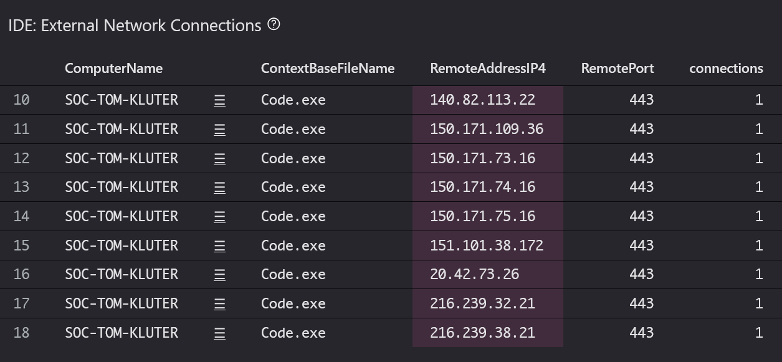
Provide an EDR solution that detects anomalous behavior of the IDE and installed extensions, and integrate that telemetry into the SIEM. Keep in mind that many security tools treat the IDE as a trusted process, which actually provides cover for malicious extensions. Verify that these exceptions on developer machines are not set too broadly. Trigger alerts on, among other things:
- Unexpected or unauthorized processes started from the IDE (for example, reading SSH keys or cloud credential files).
- Indicators of Compromise (IOCs) associated with malicious extensions or compromised project files.
- Anomalous network traffic from the IDE to unknown IP addresses or domains.
When things still go wrong
The three-day cooldown doesn't help if someone just installed within that three-hour window. Therefore, make sure the response steps are predefined:
- Determine via lockfiles and build logs which machines and pipelines actually retrieved the relevant version and in what time window.
- Treat every affected system as compromised, not as “potentially impacted.”.
- Rotate everything the affected system had access to: cloud credentials, registry tokens, SSH keys, CI/CD secrets.
- Pin to a known clean version and verify the integrity hash in the lockfile.
Conclusion
Supply-chain attacks are effective because they use trust as an attack vector: trust in a maintainer, in a registry, in a shared workflow, and recently in an AI agent that opens a repository. No single isolated measure covers that; pinning does not help against a hijacked account, a cooldown not against a worm that bypasses the registry, and pipeline hardening not against a leaked publish token.
What does work is layering: controlling the entry point, routinely refusing execution, building in delays, and assuming detection will come too late.
Want to know how your organization is doing? In a one-day assessment, we map out the dependency policy, pipeline configuration, and IDE management, and test them against the measures in this article. You will receive a report with findings and a phased implementation plan.
An incident now? Our incident response team is on standby 24/7. We help determine the impact, rotate compromised credentials, and restore the integrity of your builds.
This research was conducted and written by Tom Kluter:

Tom Kluter
Security Analyst
Sources:
[1] https://www.ncsc.nl/alerts/ontwikkelaars-opgelet-gecompromitteerde-npm-en-python-packages
[2] https://www.ncsc.nl/toeleveringsketen/omgaan-met-risicos-de-toeleveringsketen
[3] https://pnpm.io/supply-chain-security
[4] https://github.blog/changelog/2026-06-09-upcoming-breaking-changes-for-npm-v12/
[5] https://docs.renovatebot.com/presets-security/#securityminimumreleaseagenpm
[6] https://github.blog/security/supply-chain-security/the-case-for-a-cooldown-why-dependabot-now-waits-before-issuing-version-updates/
[7] https://www.koi.ai/blog/1-6-how-we-hacked-multi-billion-dollar-companies-in-30-minutes-using-a-fake-vscode-extension
Other interesting links:
- https://cheatsheetseries.owasp.org/cheatsheets/Software_Supply_Chain_Security_Cheat_Sheet.html
- https://www.wiz.io/academy/application-security/software-supply-chain-security-best-practices